I learnt to use these… Completely without instruction. I move my hands as I type and alternate my fingers by default.
I’ve tried touch typing tutorials, where I’m meant to keep my fingers within a ‘zone’, however it was causing my hands to cramp once I reached 90 WPM.
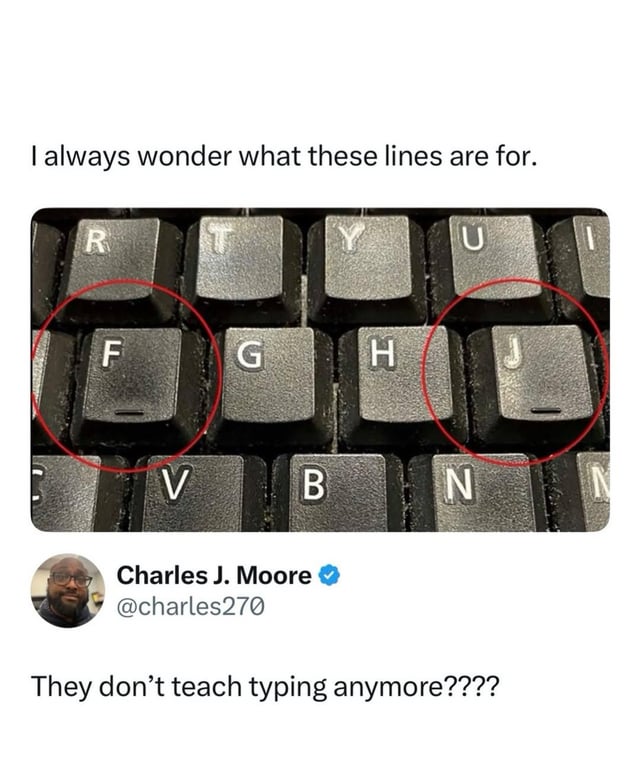
These little indicators are lovely for touch typing though, even if I’m not doing it ‘properly’. No repetitive strain injury in my weird way of typing without looking though!
Same here. The lines let me know where my fingers are in relation to the keyboard. Mavis Beacon would scream if she saw how I type, but I can do it at around 90wpm without looking.


I learnt to use these… Completely without instruction. I move my hands as I type and alternate my fingers by default.
I’ve tried touch typing tutorials, where I’m meant to keep my fingers within a ‘zone’, however it was causing my hands to cramp once I reached 90 WPM.
These little indicators are lovely for touch typing though, even if I’m not doing it ‘properly’. No repetitive strain injury in my weird way of typing without looking though!
Same here. The lines let me know where my fingers are in relation to the keyboard. Mavis Beacon would scream if she saw how I type, but I can do it at around 90wpm without looking.
You can avoid pain with the proper layout though, try workman or dvorak