
Dr Jekell
- 2 Posts
- 47 Comments
 6·1 month ago
You have two problems (three if you count MP3’s).
-
Foobar2000 has a replay gain scanner system that can scan your files and add a replay gain tag to them which a music player can use to normalize the loudness.
-
Audacious allows you to open a folder and play all files inside and has replay gain support.
-
I have had more than decent success with Orico devices.
Here is one that suits your needs:
https://oricotechs.com/products/orico-2-5-inch-type-c-6gbps-aluminum-sata-hdd-ssd-enclosure
I can’t say that I haven’t thought about audio volume correction for streaming audio.
There must be a way of doing it as Spotify and other services have a version of replay gain.
Replaygain doesn’t change the file itself.
It is a measurement of the files audio volume against a set level. Then the file gets a tag (metadata) for the volume adjustment.
To put it simply: ReplayGain turns up the volume an appropriate amount when playing a relatively quieter song/album and turns down the volume an appropriate amount when playing a relatively louder song/album.
Pretty much any music player should support replaygain including VLC.
https://www.reddit.com/r/headphones/comments/962a0c/replaygain_the_solution_to_constantly_changing/
You will want to use something like Foobar2000 to scan the files then write replaygain metadata to each file.
Then you enable replaygain in VLC and it should work as you want.
Rather than trying to get your idea to work you would be better off getting a cheep WiFi access point as they often allow you to connect it to a wifi network and pass it through to wired devices via ethernet (bridging).
Some Wifi routers have a setting to allow it to be used in bridge mode as well.
It’s likely been set up as a Windows software raid array which I believe you have to do some janky work arounds to get them recognized.
Linux is seeing it as an unformated JBOD.
Your best bet would be to use Windows to move everything off the drives then wipe & re-set it up under Linux.
It’s not a true hibernation state hence my statement “Fast boot is a bastardized version of hibernation”.
It’s a hybrid sleep/hibernate system that causes more problems than it should.
Not all hardware works with it, it causes problems with updates and some software does not play nicely with it.
I know of a number of business IT departments that disable it company wide as it is a considerable source of problems.
If you are dual booting make sure that windows fast boot is disabled.
Fast boot is a bastardized version of hibernation which can keep hardware “in use” by windows if any other OS tries to use the hardware.
One of the common issues is ethernet & wifi not working or not connecting.
The issues with Nvidia GPU’s has been blown up way to much in the last few years in my opinion.
The potential problems you “might” face are:
- Not backing up your system before updating
- Using too old or too new a kernel version (Older versions may break or cause issue with newer drivers and bleeding edge kernels may introduce issues that weren’t caught during QA) * Always have a LTS kernel installed as well as a newer supported kernel
- Using brand new hardware too soon (aka don’t expect a newly released card to work perfectly day one)
- Trying to use GPU’s in edge case uses or pushing the envelope without knowing what you are doing
- Not backing up your system
- Trying to use the wrong kind of card for your needs (A Quadro card isn’t going to work well as a RTX card)
- Not updating your system (Nvidia drivers get regular updates)
For most major distros now a days you either select the Nvidia option when installing (like Manjaro) or install the drivers afterwards (Ubuntu based) and be off to the races.
Set up and use Timeshift, make a backup before installing updates and you can roll back if there is an issue.
From what I understand about distrowatch is that their “ranking” system is based on how many people (or bots) visit a distros page.
Have you done “sudo sensors-detect”?
It’s called “OEM install”.
Ubuntu based distros should have it.
Of course it would be a Nvidia driver issue.
Thought about getting a AMD card but as I had only had one major issue with my previous 1070 (that was fixed by reloading my Timeshift snapshot then not upgrading the driver until the next version) so I thought that I would continue with Nvidia.
Eh, I can’t change it for now but at least I know what is causing it and can work around it.
Thanks for the assist.
Just made a reply to Björn Tantau.
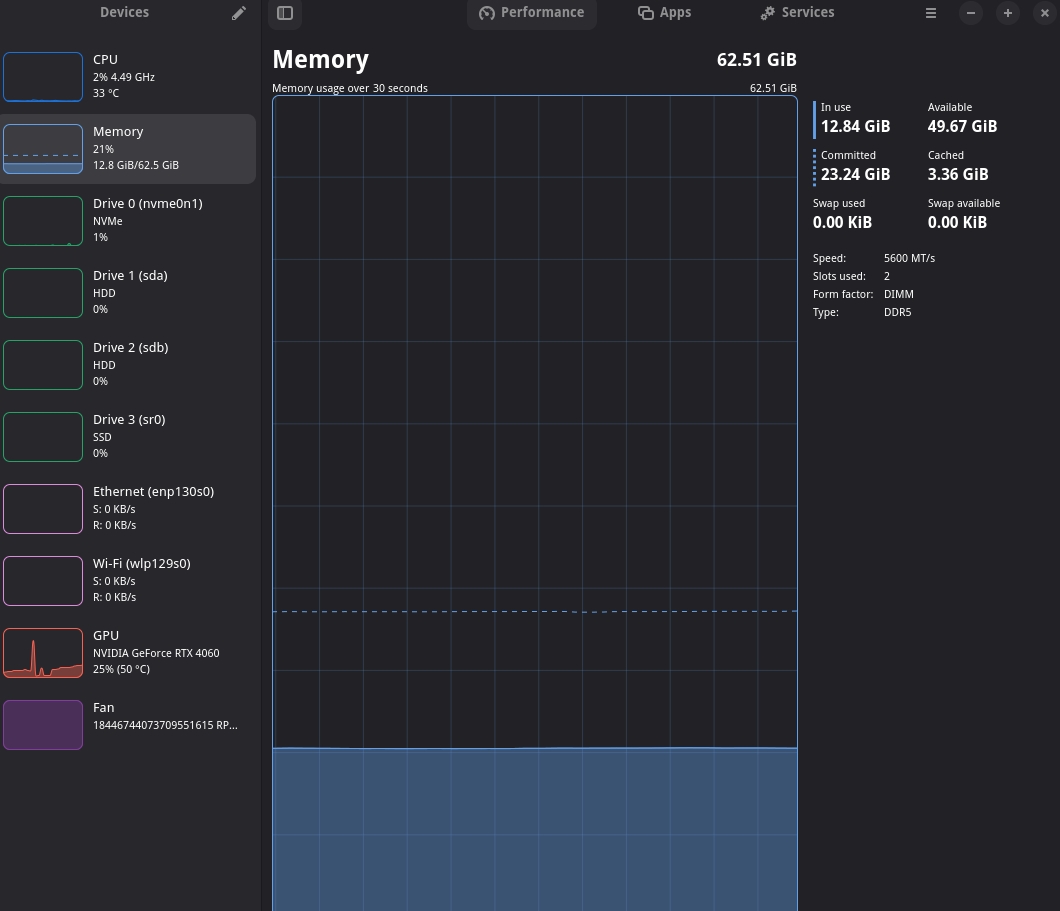
Here is what I started with:

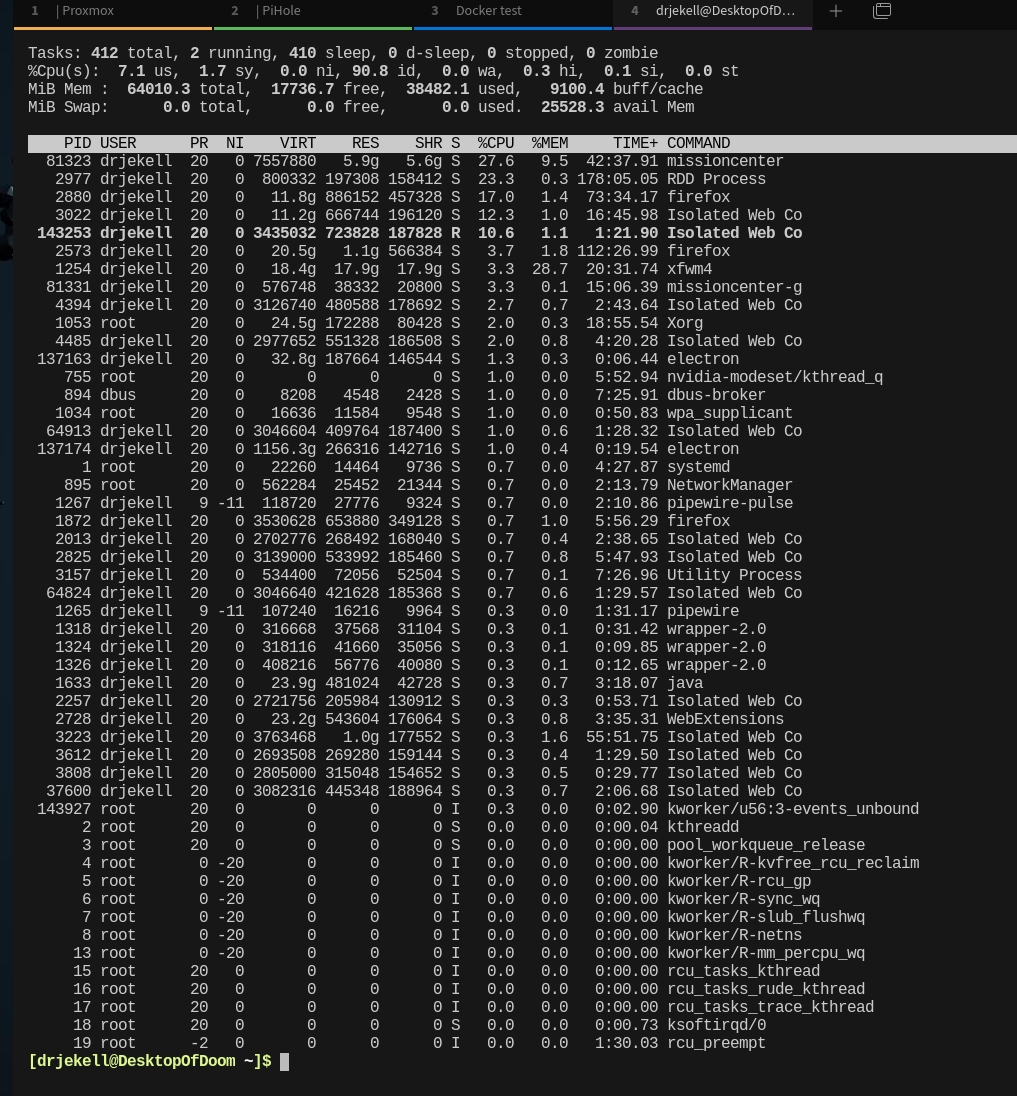
And what I have today after 3 suspends:


Will check after work today.

Most of those are updates to the flatpack base software not the actual display drivers.
It is unlikely to cause any issues updating them.